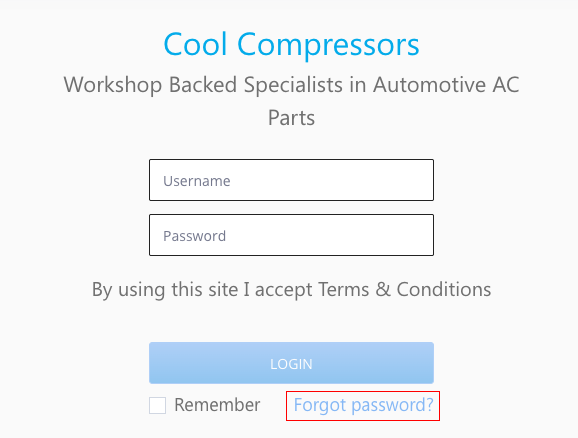
The Cool Compressors ordering portal has moved to a new address. If you’re having trouble logging in or need to reset your password, here’s what to do.
How to reset your password
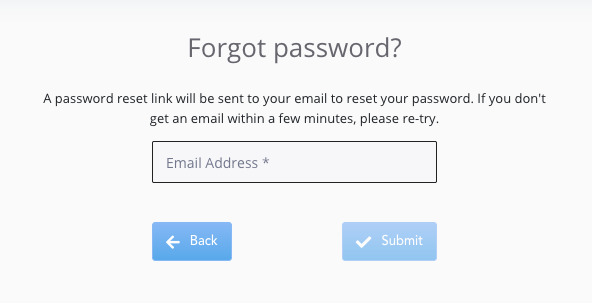
- Go to portal.coolcompressors.com.au/account/forgot-password
- Enter the email address associated with your account
- Check your inbox for a password reset link
- Follow the link to set a new password and log back in
Why am I being asked to log in again?
The portal has recently moved to a new location at portal.coolcompressors.com.au. You may need to log in again as a result of this change. If you’ve forgotten your password, use the reset link on this link.
Need a hand?
If you’re still having trouble, chat with us using the chat button on this page and we’ll get you sorted.